

BugSplat Has a New Look
UI refinements and feature updates to the BugSplat web app, including improved navigation, clearer dashboards, upgraded charting, and better crash workflows designed to stay out of the way as teams scale.

Joey P
Head of Product at BugSplat
We’ve just shipped a meaningful update to the BugSplat web app.
If you’ve logged in since the morning of February 5, 2026, you’ve probably noticed things look a bit different. This release includes a refreshed interface and a set of improvements to how crash and error data is surfaced, explored, and managed. There’s more coming, but this update lays important groundwork.
The focus here was to further polish the interface without adding complexity. We’ve always believed BugSplat should be easy to adopt, easy to use, and stay that way as your projects and data grow. Overly complex interfaces don’t fit that philosophy.
Below is an overview of many of the changes in this release.
Dashboard
The Dashboard has been reworked to better highlight the information that was already there, while adding more context around stability and performance.
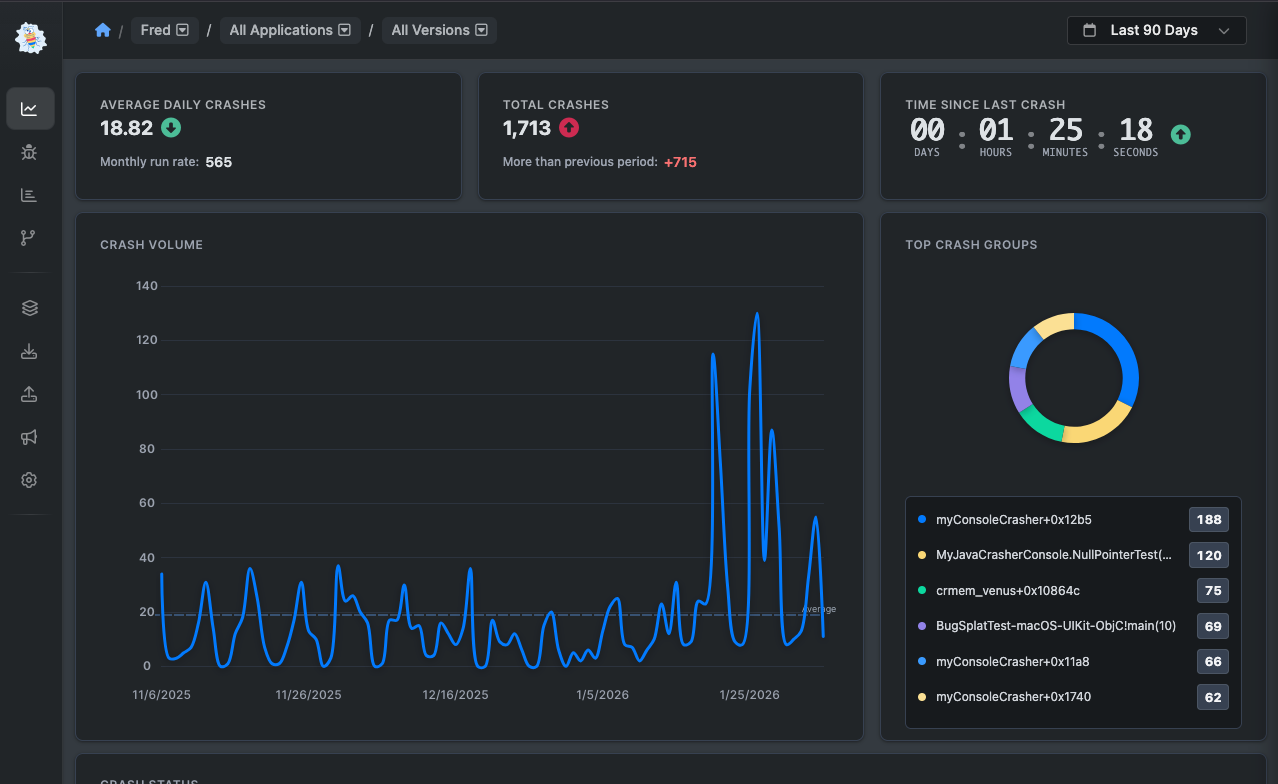
Updates include:
- An average trend line on crash volume charts to make changes over time easier to spot
- More detailed Top Crash Groups, with clearer information about what’s being surfaced
- Line smoothing to make charts easier to read at a glance
- A new Crash Status widget showing open, regressed, closed, and ignored crashes, along with how those counts change over time
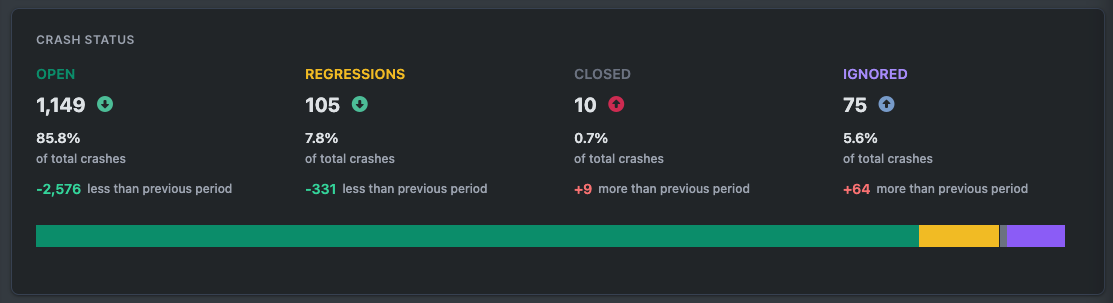
We plan to continue expanding dashboard analytics. If there’s additional data or charting you’d like to see here, we’re always interested in hearing about it.
Navigation
We’ve updated the main navigation to give your data more room.
The app now uses a horizontal navigation layout instead of a top bar. This frees up vertical space on pages and gives us a clearer structure as the product continues to grow.
- You can expand or collapse the navigation using the control in the bottom-right corner.
- Clicking your initials at the bottom of the menu provides quick access to personal settings.
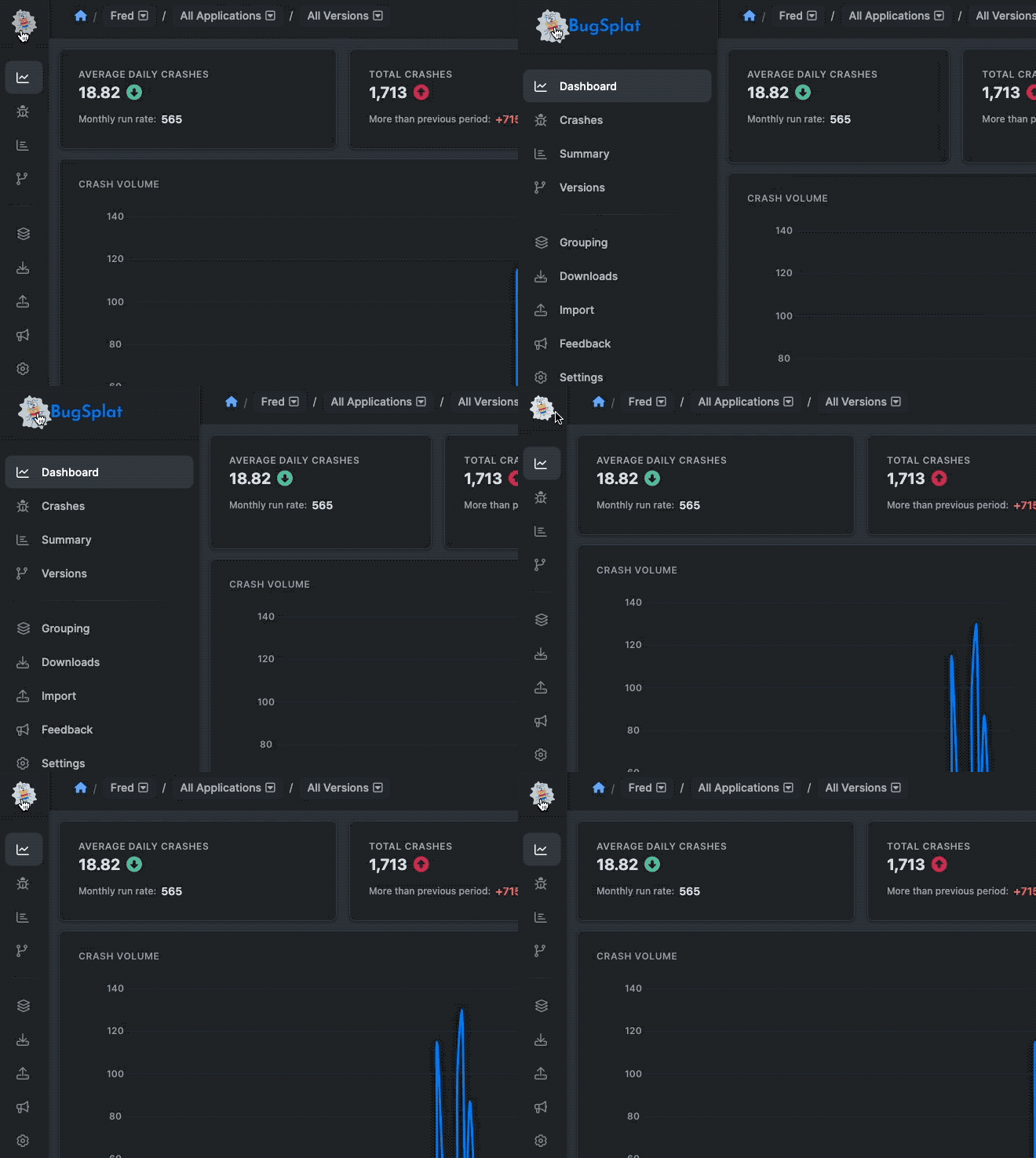
We hear often that teams want more vertical space to review crash reports, scan crash groups, or load more rows in tables. This change is meant to help with exactly that.
Crash Details
Crash detail pages have been reorganized for clarity while keeping the workflows you’re already familiar with.
This includes:
- A layout refresh for clearer presentation of crash and error data
- Better tools for searching within tabs and modules
- Clearer navigation through debugger output, along with improved ways to work with attachments and related data
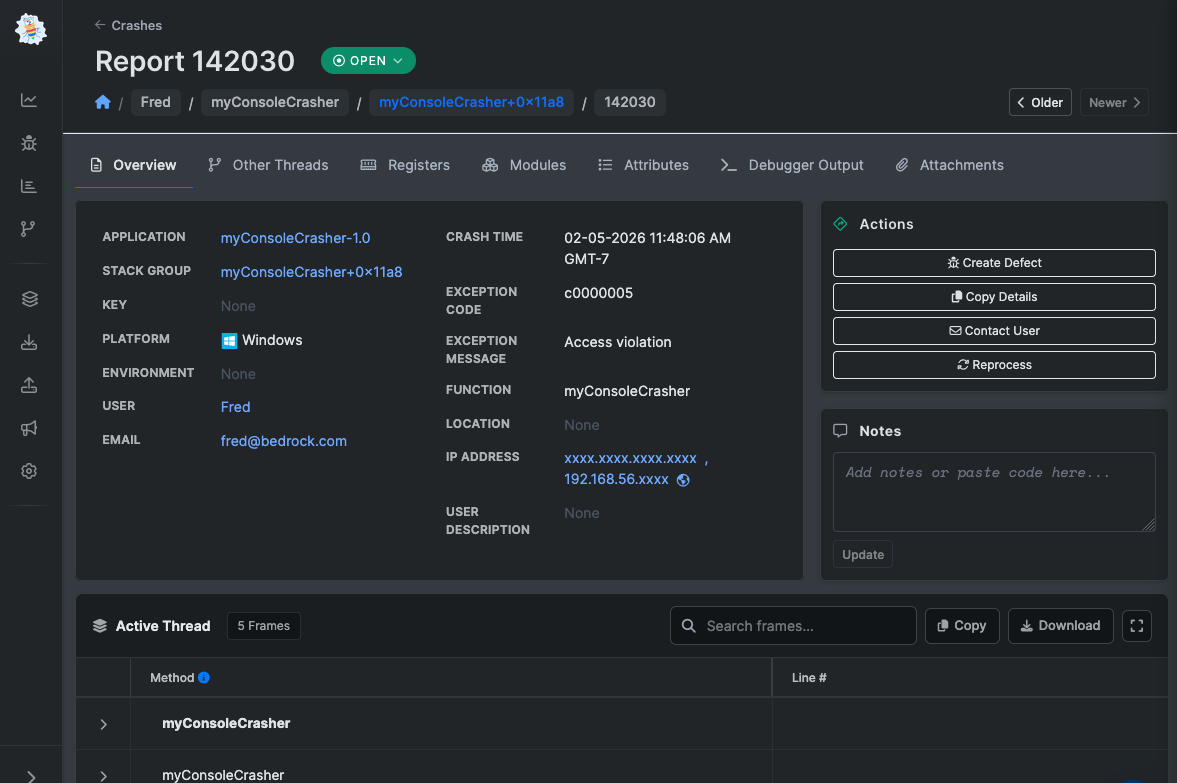
Crash grouping has also received a visual refresh. It works the same way it always has, but it’s now easier to scan and reason about.
Settings
Settings have been overhauled to make it easier to move between user, database, and company-level configuration.
The new layout reduces friction when switching contexts and makes common settings easier to find without hunting around.
Other Improvements
Beyond the more visible changes, we’ve made improvements to the look and feel of nearly every page in the app.
Charting has been upgraded across the board, with clearer visuals and more consistent behavior to make trends easier to read and compare at a glance. These updates are meant to make data feel less busy and more immediately useful, no matter where you’re viewing it.
We’ve also improved the activity feed on individual crash pages and within crash groups. The feed now does a better job of supporting conversation and showing an accurate, chronological history of a crash, including status changes and any associated defects. It’s easier to see what happened, when it happened, and why.
And yes, you can now use emojis in the activity feed — which turns out to be surprisingly useful (and occasionally entertaining).
We’d Love Your Feedback
This is a substantial update, and we know it touches a lot of everyday workflows. If something feels off, isn’t working as expected, or seems like it could be improved, we want to hear about it.
We read and respond to every piece of feedback that comes in. You can reach us at support@bugsplat.com, or email me directly at joey@bugsplat.com.
Finally are also a few small fun surprises hiding in the app. We won’t spoil them here, but let us know if you happen to find and enjoy any of them.
Thanks for using BugSplat.
-Joey P

Subscribe to our newsletter
Get the latest posts and updates delivered directly to your inbox.