

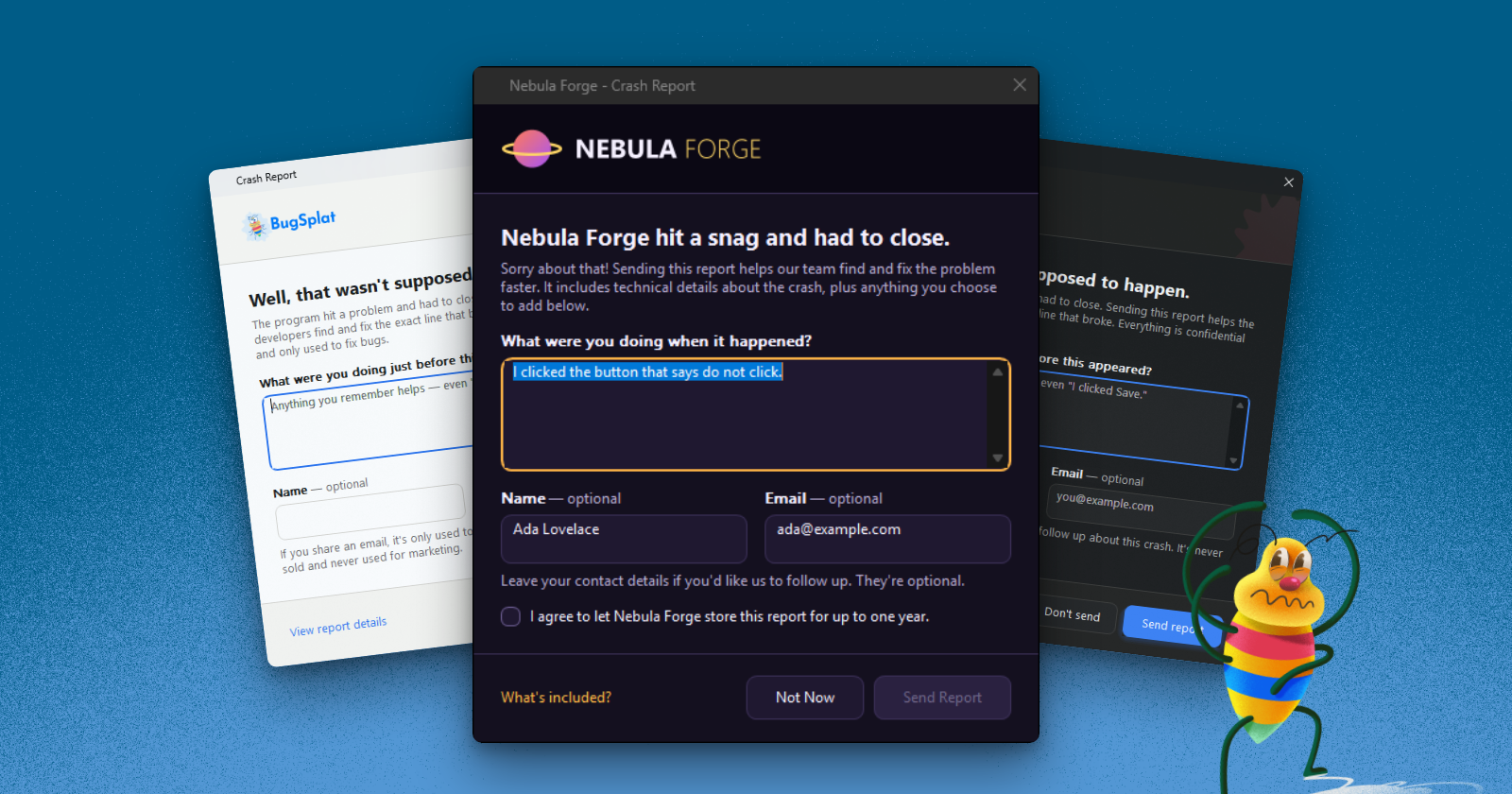
Nothing pulls a player out of your game faster than a crash. You can't undo the crash, but you do control what the player sees next. A crash dialog with your game's colors, logo, and wording shows players that your team takes stability seriously and wants to hear what went wrong.
BugSplat for Windows 9.0 includes a new crash dialog that you can style to match your game. The dialog follows Windows light and dark mode, stays sharp on high-DPI displays, and takes its look from a folder of JSON files that you ship next to your app. Nothing needs to be recompiled.
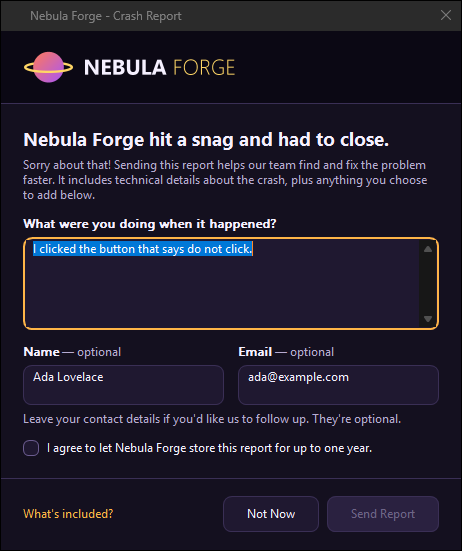
The new dialog, themed for a fictional game called Nebula Forge. The tutorial later in this post builds the Nebula Forge theme.
What's New
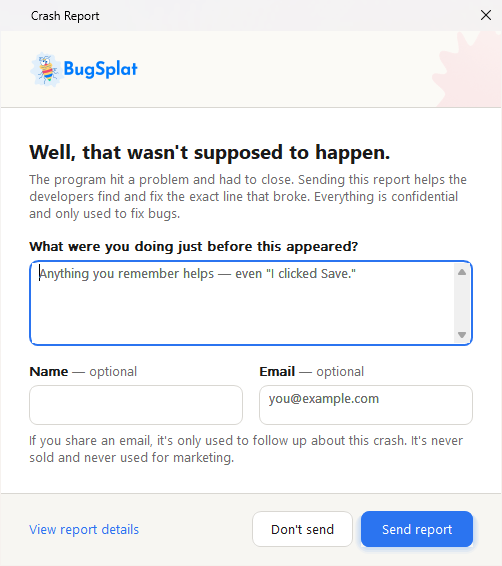
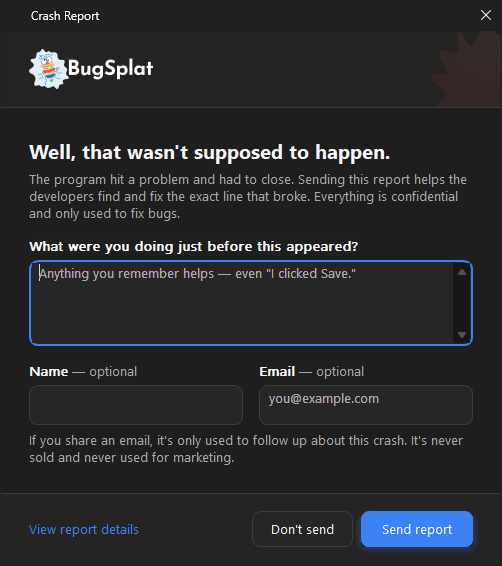
Without a theme, the dialog looks like this in light and dark mode:
What Your Players See
- Light and dark mode. The dialog follows the player's Windows setting, with rounded corners and Mica on Windows 11.
- Sharp text on every display. The dialog is per-monitor DPI aware, so it stays crisp at 125%, 150% and 200% scaling.
- Their own language. The dialog picks its language from the player's Windows settings, and the window grows to fit longer text.
- A faster exit. The report now uploads in the background after the player answers the dialog, so your game can close sooner. There's no progress window.
What You Control
- Your brand. Colors, fonts, logo, spacing, and every word come from a
BugSplatThemefolder. - Fields and consent. You can hide the name field, require an email address, or add a consent checkbox that must be ticked before the report can be sent.
- Links. The dialog's text can link to your privacy policy or support site, limited to domains your code allows.
- A timer for unattended machines. On kiosks and test rigs, the dialog can send the report by itself after a set number of seconds.
- The source, for Enterprise customers. If your company needs a customization that a theme can't make, such as a different layout, the crash dialog is source available for Enterprise customers.
What to Change When You Upgrade
The new dialog is the latest step in a rebuild of BugSplat for Windows that started with version 7.0.0, which unified our Windows and Xbox SDKs, added Windows Error Reporting integration, and moved crash reporting out of process. In 9.0 the dialog gets a program of its own, BugSplatReporter.exe, which BugSplatMonitor.exe starts when your app crashes.
No code changes are required, but your installer needs to include BugSplatReporter.exe. If BugSplatReporter.exe is missing, nothing fails visibly. BugSplatMonitor.exe uploads the report without showing the dialog, so crashes keep arriving, but your players never see the dialog, are never asked what happened, and can't decline to send. The only sign is a line in BugSplat.log in the crash folder that begins BugSplatReporter.exe not found next to BugSplatMonitor.exe.
C++ (native SDK)
- Add
BugSplatReporter.exeto your installer, in the same folder as your executable andBugSplatMonitor.exe. You'll findBugSplatReporter.exein eachbinfolder of the SDK. - Remove
BugSplatRc.dllfrom your installer and build scripts. Nothing loadsBugSplatRc.dllanymore. - Update
BugSplat.liborBugSplat.dll,BugSplatMonitor.exe, andBugSplatWer.dlltogether, from the same release. If these files come from different releases, BugSplat detects the mismatch and doesn't report crashes until every file matches. - If you customized the old dialog by rebuilding
BugSplatRc.dll, re-create those customizations in aBugSplatThemefolder, as described in the tutorial below.
.NET
Update the BugSplat NuGet package. The package copies BugSplatReporter.exe to your output with the rest of the native runtime, so your project needs no changes.
After upgrading, install your app from your installer, force a crash, and confirm the dialog appears.
If you're already on 9.0.0, note that 9.0.1 renamed the theme folder from theme\ to BugSplatTheme\. Rename your theme\ folder to BugSplatTheme\, because 9.0.1 no longer reads theme\. Xbox titles are unaffected, since there's no crash dialog on Xbox.
The upgrade guide lists every change in 9.0.
Build the Nebula Forge Theme
The steps below set the colors, logo, wording, and consent box of the Nebula Forge dialog from the top of this post. The dialog reads its look at run time from a BugSplatTheme\ folder next to BugSplatReporter.exe:
NebulaForge\
  NebulaForge.exe
  BugSplatMonitor.exe
  BugSplatReporter.exe
  BugSplatWer.dll
  BugSplatTheme\
    theme.json              colors, type, layout, and switches
    strings.en-US.json      every word the dialog shows
    nebula-logo.png         optional, named by brand.logo
The SDK includes a default BugSplatTheme\ folder that you can copy and edit. In a .NET project, put a BugSplatTheme folder in your project. Every build copies the folder next to your app, checks its files, and reports mistakes as BSTHEME build warnings.
1. Pick Your Colors and Logo
You only write the keys you want to change. Every key you leave out keeps its default value. This theme.json pins the dialog to dark mode, names the product, adds the logo, and sets the dark purple background and amber accent:
{
  "appearance": "dark",
  "brand": {
    "productName": "Nebula Forge",
    "logo": "nebula-logo.png",
    "logoHeight": 40
  },
  "palette": {
    "dark": {
      "background": "#14101F",
      "surface": "#1F1830",
      "bannerBackground": "#0B0814",
      "textPrimary": "#F5F0FF",
      "accent": "#FFB547",
      "accentText": "#1B1530"
    }
  }
}
Put nebula-logo.png in the BugSplatTheme\ folder. A transparent PNG about three times the height it's displayed at looks best. Leave out appearance and add a light palette if you want the dialog to follow the player's Windows setting. theme.json also has type for fonts and sizes, and layout for width, spacing, and corner radius.
2. Change the Words
Every word in the dialog comes from strings.en-US.json. {productName} is filled in from brand.productName:
{
  "locale": "en-US",
  "strings": {
    "title": "{productName} - Crash Report",
    "headline": "{productName} hit a snag and had to close.",
    "descriptionLabel": "What were you doing when it happened?",
    "send": "&Send Report",
    "dontSend": "&Not Now"
  }
}
The & marks a button's keyboard shortcut and isn't shown, so &Send Report means Alt+S. To translate the dialog, add a strings file for each language, such as strings.de-DE.json.
3. Choose the Fields
The features section of theme.json controls which fields appear and what the player must fill in. Nebula Forge keeps the name and email fields and adds a consent checkbox:
{
  "features": { "showConsent": true }
}
The consent sentence goes in strings.en-US.json:
"consent": "I agree to let {productName} store this report for up to one year."
Other features keys include showName, which hides the name field when set to false, and requireEmail, which keeps Send Report disabled until the player enters an email address.
4. Check and Preview the Theme
You don't have to crash your game to see your theme. BugSplatReporter.exe can check a theme folder and preview the dialog with sample data, and nothing is uploaded:
BugSplatReporter.exe --check-theme "C:\work\nebula-theme" | more
BugSplatReporter.exe --preview --theme "C:\work\nebula-theme"
--check-theme lists every theme value that BugSplatReporter.exe couldn't use. A value it can't use falls back to its default, so a mistake in a theme can't stop a crash report from being sent.
5. Add Links, If You Want Them
The dialog's text can link to your privacy policy or support site. For example, this contact note links to a privacy policy:
"contactNote": "Leave your contact details if you'd like us to follow up. See our <a href=\"https://nebulaforge.example/privacy\">privacy policy</a>."
Links are off by default and work only for domains your app allows in code, with SetCrashDialogLinkDomains(L"nebulaforge.example") in C++ or CrashDialogLinkDomains in .NET. A theme file can't add a link by itself, so someone who can edit files in your install folder can't put a phishing link in your crash dialog.
The Customize the Crash Dialog guide has the complete Nebula Forge theme with every key set, along with a second worked example, right-to-left languages, and a checklist for testing your theme.
Why the Dialog Is Still Native Win32
We considered WinUI 3 and WebView2 for the new dialog. WinUI 3 isn't built into any version of Windows, and shipping it self-contained adds roughly 46 MB per architecture to every app. WebView2 isn't guaranteed to be installed everywhere, so we would have needed a fallback dialog anyway. A crash dialog has to work on the worst machine your players own, so we kept the dialog native Win32 and draw the controls ourselves. How the Windows Crash Reporter Works explains what BugSplatMonitor.exe and BugSplatReporter.exe each do after a crash.
Show Us Your Dialog
A crash will never be a good moment for a player, but the dialog that follows can look and sound like your game. The new dialog is in BugSplat for Windows 9.0.1 and the latest BugSplat NuGet package. Build a theme, preview it without crashing anything, and show us what your players will see. We're @BugSplatCo on X and @bugsplatco.bsky.social on Bluesky.
Need a customization that a theme can't make? The crash dialog is source available for Enterprise customers, so your team can modify and build the dialog itself. Contact sales@bugsplat.com to get access.