
BugSplat's Remote MCP Server: One Sign-In for All of Your Crashes

CTO at BugSplat
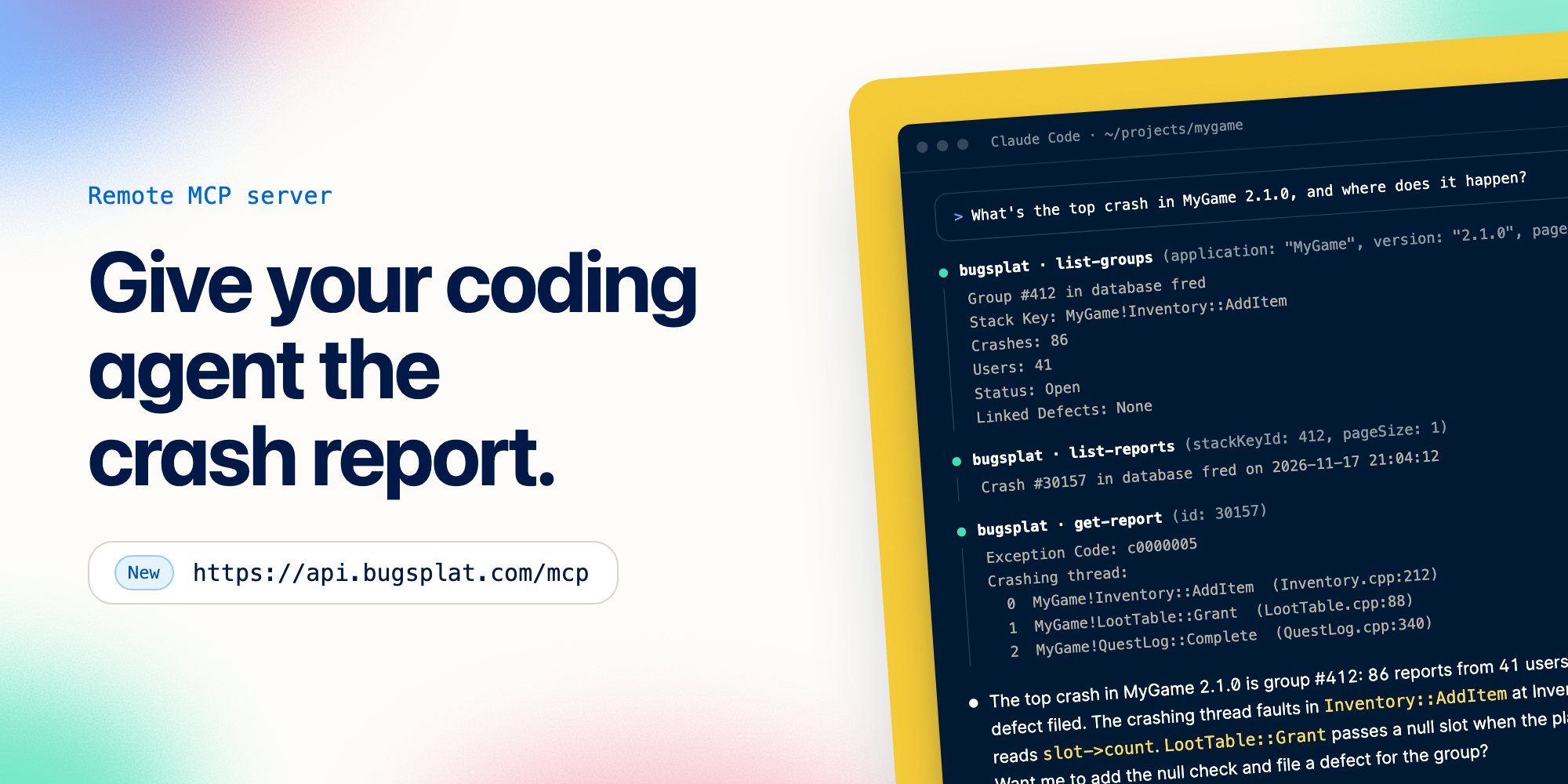
Software development looks a lot different than it did 10 years ago. AI has supercharged developers who have been willing to adopt the new capabilities while simultaneously lowering the barrier to entry to the field of software development. Large language models (LLMs) can generate code faster than any unassisted human, but the quality of that code can fluctuate wildly. Agents are only as good as the information they have to work with. The bottleneck is now how fast developers can get relevant context into these tools. Anthropic created MCP as a standardized way for AI systems to call tools and access data in other systems. MCP is like an API for AI.
Here at BugSplat we did an early experiment with a local MCP tool, distributed through npm, and configured on a developer's system. This approach resulted in a glimpse of what's possible, but had a number of shortcomings. Our bugsplat-mcp package was limited to running on systems with Node.js installed, required users to set secret values in a config file, and could only access a single BugSplat database per installed connection.
We're excited to announce a completely new version of MCP support via BugSplat's Remote MCP endpoint. BugSplat's Remote MCP endpoint authenticates with your user account, which means you have the same access via MCP as you do in the BugSplat web app. Additionally, there's no npm package to install, which means you can connect to BugSplat via web sessions in Claude, ChatGPT, Cursor, or any coding agent that supports MCP.
What's New
- Sign in with your BugSplat account. The server acts with your permissions, so the assistant sees the databases your login can open and nothing else. There are no per-database credentials to create, store, or rotate.
- Crashes, crash groups, versions, and symbols. Seven tools read the databases you can access, individual crash reports, crash groups, application versions, and uploaded symbol files.
- Filters that take lists and operators. Every filter accepts a single value, a list of values where any one can match, or operators such as
gte,ne,startsWith, andnotIn. - Sorting and paging. List tools sort by the field you choose and return results a page at a time, so the assistant can fetch the 20 newest crashes or the 10 biggest crash groups.
- File defects and close crash groups. The assistant can create a defect for a crash group in the issue tracker connected to your database, link the crash group to a defect that already exists, and mark the crash group fixed once the fix merges.
Connect Claude Code
Add the server:
claude mcp add --transport http bugsplat https://api.bugsplat.com/mcp
Then run /mcp in Claude Code, select bugsplat, and choose Authenticate. Your browser opens the BugSplat sign-in page. After you sign in, the BugSplat tools are available in every Claude Code session for that project.
Your Assistant Sees What You Can See
Every tool call runs as the BugSplat user who signed in, with that user's databases and rights. Ask "which BugSplat databases can I access?" and the assistant calls list-databases, which lists each database with its company and marks your default.
When someone leaves your team and you remove their BugSplat login, their assistant loses access at the same time. There is no long-lived secret sitting in a configuration file.
Ask in Plain English, Get an Exact Query
The assistant turns your question into tool arguments. Asking for "open or regression crash groups in version 2.4 with at least 50 crashes" produces a list-groups call like this:
{
  "database": "fred",
  "status": ["open", "regression"],
  "version": "2.4*",
  "crashes": { "gte": 50 },
  "sortBy": "crashes"
}
A crash group matches a list when it matches any value in the list, and matches an object of operators when every operator holds. When a call uses several filters, a result has to pass each one. Text filters accept contains, startsWith, endsWith, ne, notIn, and exists. Counts accept gt, gte, lt, and lte.
Custom attributes work the same way. list-reports takes an attributes filter such as {"GPU": {"startsWith": "GeForce"}}, and each crash in the list shows its attributes, so the assistant can confirm the match without opening every report.
Available on Every Plan
API and MCP access are included on every BugSplat plan. The Free plan is rate limited, and paid plans have full access. See the plans and billing guide for the limits.
From Crash Report to Fixed in One Conversation
Here is the whole loop in one Claude Code session, with your game's repository open. The data below is an illustration from a demo database, but every step uses a real BugSplat tool.
- Find the crash. You ask, "What's the top crash in MyGame 2.1.0?" The assistant calls
list-groupswithversion: "2.1.0"andsortBy: "crashes", and finds crash group 412: 86 crashes from 41 users, status Open, no defect linked. - Find the line. The assistant calls
get-reporton the newest crash in that group. The crashing thread stops inInventory::AddItematInventory.cpp:212, called fromLootTable::Grant. The assistant opensInventory.cppin your repository and sees thatAddItemreadsslot->countwithout checkingslot, and thatLootTable::Grantpasses a null slot when the player's bag is full. - Fix it and open a pull request. The assistant adds the check, runs your tests, and opens a pull request with
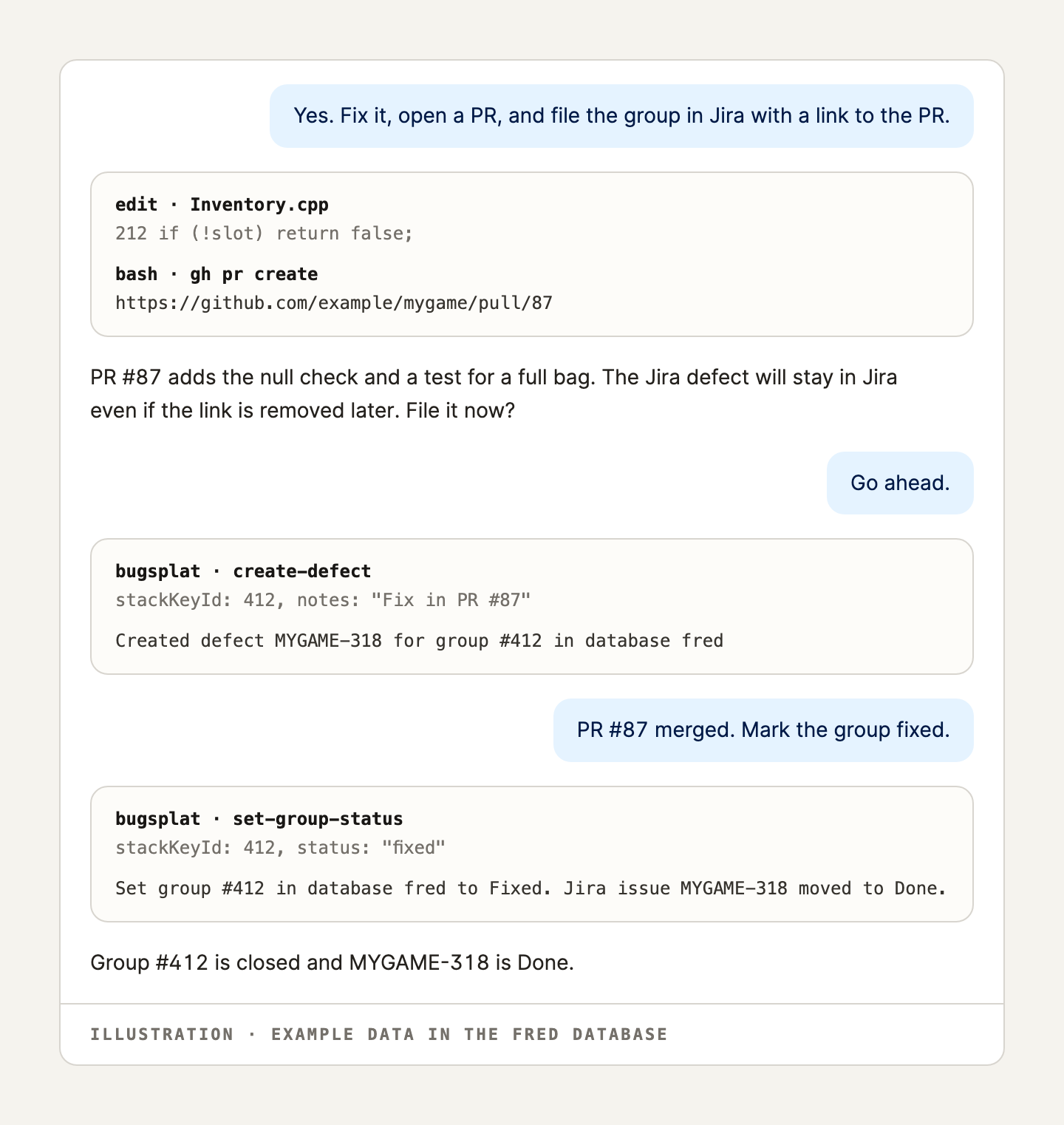
gh pr create. Your coding assistant does this step in your repository, starting from the call stack in the crash report. - File the defect. You say, "File it in Jira and mention the PR." The assistant checks with you, then calls
create-defectwith the pull request link in its notes. The new issue gets the crash group's details, an example call stack, and a link back to BugSplat, and the crash group links to the issue. If someone already opened an issue,add-defect-linklinks the crash group to it instead. - Mark it fixed. Once the pull request merges, you ask the assistant to close the crash group. It calls
set-group-statuswithstatus: "fixed", and the crash group shows as Closed in BugSplat. If the crash group is linked to a Jira issue, the issue moves to your Jira project's closed status too.
Here are steps 3 through 5 in Claude Code, from the pull request to the closed crash group:
If the same crash shows up again in a newer version, BugSplat marks the crash group Regression, and Regression Alerts can notify your team. Your assistant can find those crash groups with list-groups and status: "regression".
What's Next
We are working on listings for the BugSplat MCP server in the Claude and ChatGPT connector directories, so you can add BugSplat from inside those apps. We are also building a BugSplat CLI for coding agents that work from a terminal.
Get Started
Run claude mcp add --transport http bugsplat https://api.bugsplat.com/mcp, then authenticate with /mcp. The MCP Server guide covers setup in Claude Code, Claude, and ChatGPT, and lists every tool and filter. If the assistant gets something wrong about your crash data, email support@bugsplat.com and tell us what you asked and what came back.